← All help & guides · Updated
A link your customers tap to ask for a quote, in your colors. Every request lands in Jobs under Leads. Free on every account. Every screenshot is the real app, with demo data.
Two minutes, once. You get a link you can put on a truck, a card, a text signature or a Google profile.
Why it matters: the page is a plain web page, so it works on any phone and needs no app on the customer side. It is free on every account.
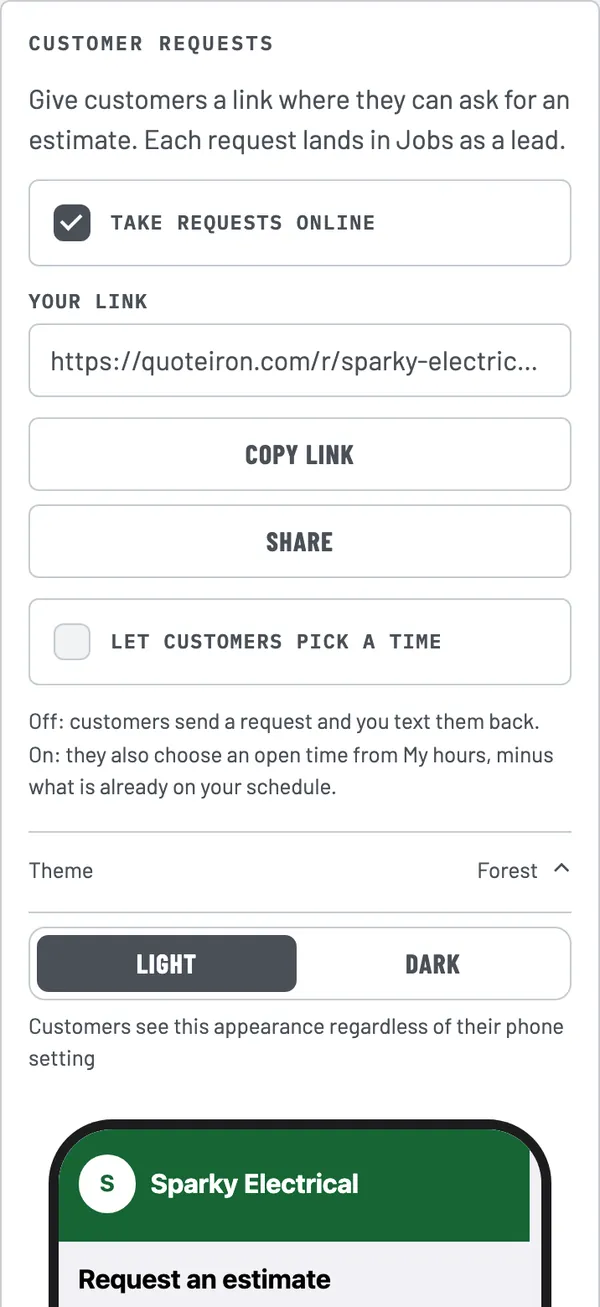
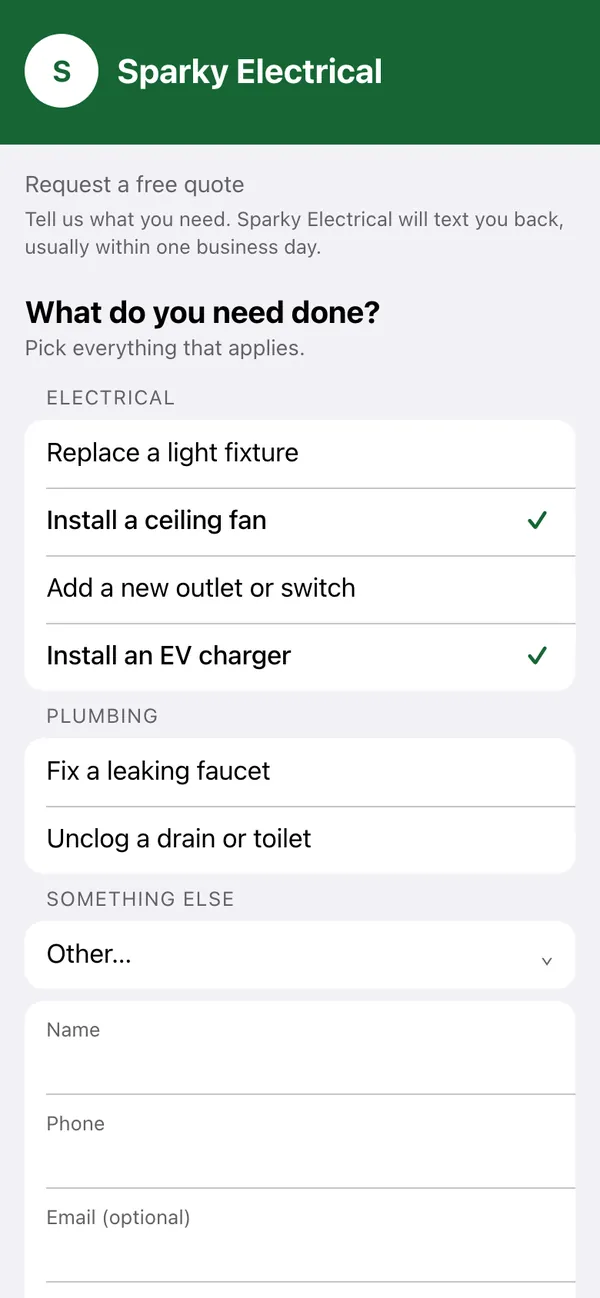
Pick a color, choose light or dark, and trim the list of jobs to what you actually sell.
Why it matters: customers see your business name and colors at the top, not a QuoteIron form.
They never need to guess what to type.
Why it matters: photos and a note on the request mean you often know the job before you call.

Open the app and look at Jobs.
Why it matters: a lead in the list is money you have not chased yet. Converting takes one tap.
Quick fixes.
The switch will not turn on. Sign in first. The request page needs your QuoteIron account, and the card says Sign in to turn this on.
My jobs list is empty. It fills in after you pick your trades in Settings and the page saves.
A job will not add. Each trade holds a limited number of jobs. Remove one you do not use, then add yours.
I do not see a new request. Open the app and make sure you are signed in. Requests are collected when the app opens.
I want it off. Switch off Take requests online. The link then shows customers that you are not taking requests.
No. The request page, its themes, your jobs list and the Leads list work on every account, Free and Pro.
No. They open your link in their phone browser, tick what they need, add a name and phone number, and send. Email and photos are optional.
In the Jobs tab, under Leads. Each request also adds the customer to your Clients, so their name, phone and address are already saved when you convert it to an estimate.
Yes. Under Jobs customers can pick, turn jobs off, move them up or down, or add your own. Reset to defaults puts the original list back. The page always adds an Other row so customers can describe anything not on your list.
Optional. Let customers pick a time is off by default: customers send a request and you text them back. Switch it on and they also choose an open time from your Hours (private to you), minus what is already on your schedule. A request that comes in after hours is tagged After hours.
Related: Add an office manager · All help & guides
The whole thing works offline, on your phone, in about 90 seconds. Free for 5 jobs a month — then $15.99, cancel anytime.